


Already 3,500+ users trust Adaption
Scan App for inventory management and QR scanning in the warehouse
Warehouse employees working with paper-based tasks or separate registration tools are constantly lagging behind. Lost pallets and counting errors during inventory are the direct result of an operation that is not maintained in real time.
Adaption’s Scan App connects the shop floor directly to your inventory management software. Employees scan using a mobile device or handheld scanner, and every action is immediately processed in the WMS system.
Scan QR codes for inbound, outbound, location management, and VAS, directly linked to your WMS without manual steps.
Real-time inventory management: every scan immediately processes a change in the central system.
Works on Android, iOS, and handheld scanners, enabling device reuse and flexible scaling.
Discover in 15 to 30 minutes how Adaption’s WMS software supports your warehouse processes.
"*" indicates required fields
TRUSTED BY LOGISTICS LEADERS SUCH AS

Adaption’s WMS system for scanning

Recognizable problem
The shop floor and the WMS do not communicate with each other
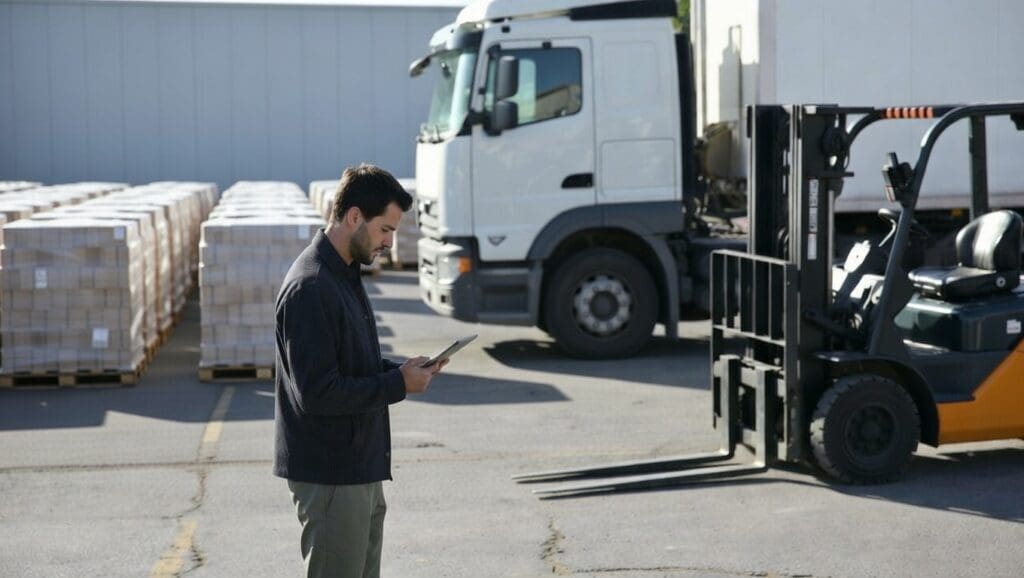
In many warehouses, registration lags behind reality. Employees record actions on paper, an administrative employee enters them later, and by the time inventory is updated, something has already gone wrong. Incorrect locations, missing pallets, and counting errors during inventory are not exceptions, they are the structural result of a disconnected operation.
As volume grows, the problem scales with it. More employees, more actions, and more chances of errors that are only discovered when a customer calls or a shipment is missing. Inventory management software only solves this if the shop floor actually uses it, which requires a scanning solution that is fast, intuitive, and reliable. That is exactly what Adaption’s mobile scanning application provides.
Adaption’s logistics solution
Adaption Scan App as an extension of your WMS on the shop floor
Adaption’s scanning application is fully integrated with the WMS software, the TMS system, and the Freight Forwarding Software within the Logistics Cloud Suite. Every scan performed by an employee, whether for inbound, outbound, a location move, or a VAS task, is immediately processed in the system. No delays, no duplicate entries, and no discrepancies between reality and your inventory system.
The 5 benefits of the Scan App with Adaption WMS software
1. Real-time connection to inventory management.
Every scan immediately processes a change in your central inventory system. Locations, quantities, and statuses are always up to date, giving planners and managers a reliable view of what is happening in the warehouse at all times.
2. QR code scanning for goods and locations.
Goods and storage locations are identified via QR code or barcode. The system automatically links the correct item data to the scan, eliminating manual input errors. Creating QR codes for location labels or product labels is easy to manage within the WMS.
3. Wide device compatibility without extra investment.
The application works on smartphones, tablets, and professional handheld scanners. Existing equipment remains usable and new devices can be added quickly without installation overhead.
4. Configurable task screens per process.
For each process, inbound, VAS, outbound, or inventory, you define which fields are visible, which instructions are shown, and which steps are mandatory. This shortens onboarding time for new employees and significantly reduces the error rate.
5. Photo documentation directly linked to the record.
In case of discrepancies, damage, or additional checks, the employee takes a photo via the scan application. This photo is automatically linked to the record in the warehouse software and is immediately visible to the planner and, if needed, the customer.

Prefer to get acquainted first or receive more information before booking a free demo?
We are happy to help, feel free to contact us.
How does the mobile scan app work in Adaption WMS?
Inbound, outbound, and inventory management via the mobile scan application
The scan application supports the entire warehouse process from arrival to dispatch. During inbound, incoming shipments are scanned, weighed, and assigned location data. The system processes all information directly in the inventory management system and confirms to the employee that the registration has been completed correctly.

Inbound processing and location scanning
As soon as a shipment arrives, the employee opens the corresponding task in the application. Goods are scanned via QR code or barcode, weighed if required, and assigned to a storage location. The location scan confirms that the item has been placed correctly, and the update is immediately visible in the central inventory system.
- Inbound items are linked to the inbound record via QR code scanning, without manual entry of item codes or quantities.
- Location scanning prevents incorrect placement by verifying that the right item is in the right location before confirmation.
- Weight and volume registration can be directly linked to weighing equipment, so measurement data automatically enters the inventory system.
Practical example: A cold storage facility receives pallets from multiple suppliers daily. Previously, arrival lists were checked manually and later entered into the WMS system. With the scan application, each employee scans incoming pallets via QR code directly at the dock. The system automatically verifies whether the shipment matches the purchase order and assigns the pallet to a location. The planner sees the real-time inventory status even before the truck departs.
VAS tasks and flexible workflows on site
Value Added Services such as repacking, labeling, filling, or quality checks are managed through configurable task screens in the application. Employees see exactly which steps to follow, which materials are needed, and which data must be recorded per task. Instructions are configurable via instruction sets in the WMS software.
A practical advantage of the flexible workflow is that parallel tasks are possible. When filling multiple IBC containers, completed units can be moved immediately while the remaining ones are still being filled. The scan application tracks the status per unit, so the planner always knows what is completed and what is still in progress.
Practical example: A chemical distributor performs five different VAS activities daily for three clients. Each client has different labeling requirements and packaging instructions. The scan application shows employees exactly which labels to apply, which weight to record, and whether a photo is required. Errors are immediately flagged before the task can be completed, without requiring a supervisor to check every step.
Scanning with mobile or handheld scanner in practice
The application is available for Android and iOS and also works on professional handheld scanners commonly used in warehouse and port environments. The advantage of mobile scanning is its low threshold: employees use a familiar device and do not need to learn additional hardware. For environments where speed and durability are more important, a dedicated scanner is the better choice.
The interface adapts to screen size and is designed for use with gloves or in low-light conditions. QR code scanning works via the device camera or via the built-in laser scanner of a handheld device. Both methods process scans immediately and provide visual and audio confirmation.

Calculation example: A warehouse with 8 employees processes an average of 400 actions per day. With manual entry, each action takes an average of 45 seconds of additional administrative time. With the scan application, this is reduced to less than 5 seconds per action, as scanning replaces manual input. This results in over 5 hours of administrative time saved per day, which can be directly reallocated to operational tasks.
Seamlessly integrates with your current IT landscape
Adaption integrates seamlessly with your existing IT landscape and connects to the systems you already use. From ERP systems and webshops to carriers and accounting packages, all data flows come together in one logical whole. Thanks to open APIs, virtually any integration is possible. If your system is not listed, we make it fit.



Frequently asked questions about the Scan App for warehouse management
The scan application is fully integrated with Adaption’s WMS module. Every scan performed by an employee immediately processes a change in the inventory management software, without manual input afterward. The integration works in real time, ensuring planners and managers always have an up-to-date view of inventory.
The application works on Android smartphones, iOS devices, and professional handheld scanners such as those from Zebra or Honeywell. Mobile scanning is done via the built-in camera, while handheld scanners use a laser scanner for faster and more accurate reading in demanding environments.
Yes. Warehouse locations are equipped with QR code stickers recognized by the application. A location scan automatically links the scanned item to the correct storage location in the inventory system. This prevents incorrect placement and significantly speeds up inventory checks.
When a shipment arrives, the employee opens the corresponding inbound task in the application. Items are scanned via QR code or barcode, weighed if necessary, and assigned to a storage location. The update is immediately processed in the central inventory system, and the inbound task is automatically completed once all items have been processed.
Mobile scanning has a low barrier to entry because employees use a familiar device, but smartphones are less robust in heavy warehouse environments. A handheld scanner is more resistant to drops, dust, and low temperatures, and the laser scanner reads barcodes and QR codes faster than a camera-based scan. Adaption supports both options so you can choose based on your specific working environment.
VAS tasks are displayed as task cards in the application, including instructions, required fields, and possible photo requirements. The content of each task card is configurable via instruction sets in the warehouse software. This allows you to define exactly which steps employees must follow for each task type, from labeling and repacking to quality checks and photo documentation.
Yes. The application scales with the size of your operation. For smaller warehouses with a limited number of items and locations, the scan application acts as a direct replacement for paper records and spreadsheets. For larger operations, integration with the full WMS and the Logistics Cloud Suite provides the scalability needed for more complex inventory management processes.
See how the Scan App accelerates your warehouse processes
Schedule a free demo with Toon Schilder and discover in 30 minutes how Adaption’s Scan App connects your inventory management, inbound processing, and VAS tasks in real time. Toon will show you how the application works in a scenario similar to your own operation, completely without obligation.
During the demo you will gain insight into:
How the WMS works in practice
Support for your warehouse logistics processes
Options for integration and expansion
Or contact us via:
Schedule a free demo with Toon Schilder
Discover in 15 to 30 minutes how Adaption’s WMS software supports your warehouse processes.
"*" indicates required fields